Lessons learned using JavaFX and FXML
I am personally a big proponent of JavaFX’s combination of FXML + CSS + Java for GUI development. When used appropriately it results in a clean separation of concerns that allows designers and developers to collaborate together without stepping on each other’s toes.
However, there are some use cases that have non-obvious solutions, and self-discovered hacks often result in code that is horrible to read and maintain. This blog post covers some of my own best practices and lessons learned while working with JavaFX and FXML (e.g. Scope).
fx:include
Complex GUIs are combinations of multiple smaller components and/or views that handle separate parts of the functionality. Trying to do everything in a single FXML file with a single controller will result in a very hard to maintain mess.
Independent components can be nested using the fx:include element. It imports the specified FXML file and instantiates the corresponding controller. The below snippet shows two components (view1.fxml and view2.fxml) that are included by the top-level main.fxml.
<?xml version="1.0" encoding="UTF-8"?>

<?import javafx.scene.control.Button?>
<?import javafx.scene.layout.StackPane?>
<StackPane xmlns="http://javafx.com/javafx/18" xmlns:fx="http://javafx.com/fxml/1"
           fx:controller="us.hebi.gui.ViewController">
    <children>
        <Button fx:id="button" text="Change to View 2"/>
    </children>
</StackPane><?xml version="1.0" encoding="UTF-8"?>
<?import javafx.scene.control.Button?>
<?import javafx.scene.layout.StackPane?>
<StackPane xmlns="http://javafx.com/javafx/18" xmlns:fx="http://javafx.com/fxml/1"
fx:controller="us.hebi.gui.ViewController">
<children>
<Button fx:id="button" text="Change to View 1"/>
</children>
</StackPane><?xml version="1.0" encoding="UTF-8"?>
<?import javafx.scene.layout.AnchorPane?>
<?import javafx.scene.layout.StackPane?>
<StackPane fx:id="root" xmlns="http://javafx.com/javafx"
xmlns:fx="http://javafx.com/fxml"
fx:controller="us.hebi.gui.ViewSwitchAppController"
prefHeight="500.0" prefWidth="500.0">
<children>
<fx:include fx:id="view1" source="view1.fxml"/>
<fx:include fx:id="view2" source="view2.fxml"/>
</children>
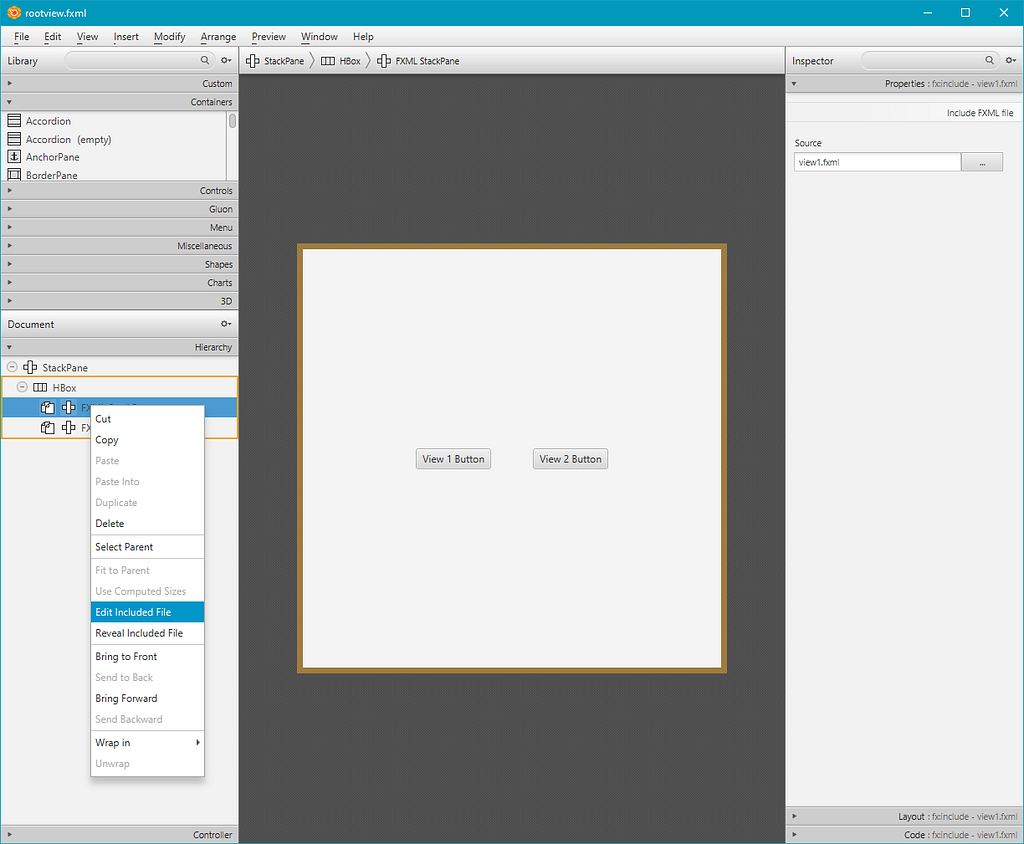
</StackPane>Unfortunately, SceneBuilder does not list fx:include in the component library, so it needs to be added manually. However, once its added, SceneBuilder can load and edit nested views just fine. Right-clicking on an fx:include element provides an option to open the target file.
Referencing fx:include Controllers
Every FXML element with an fx:id attribute gets assigned to a matching @FXML annotated field or method in the backing Java controller. A really simple controller for the nested views would be
public class ViewController {

    @FXML
    Button button;

}
The fx:include element is a special case that assigns not one, but two variables:
the root pane gets assigned to a variable with the specified
fx:idnamethe backing controller gets assigned to a variable named
fx:id+"Controller"
While I have rarely needed to reference the nested controller, I’m sure there are use cases where it is useful.
For example, this post was originally meant as a response to How to Swap Scenes Properly which explains how to switch the main view of an application (e.g. for a wizard-like application with multiple steps). We could achieve the same result by treating view1.fxml and view2.fxml as standalone steps and setting the actions in the initialize method of the root-level controller as it holds the references and knows about the full application flow
public class RootViewController implements Initializable {

    @FXML
    Pane root;

    @FXML
    Pane view1;

    @FXML
    Pane view2;

    @FXML
    ViewController view1Controller;

    @FXML
    ViewController view2Controller;

    @Override
    public void initialize(URL location, ResourceBundle resources) {
        view1Controller.button.setOnAction(e -> root.getChildren().setAll(view2));
        view2Controller.button.setOnAction(e -> root.getChildren().setAll(view1));
        root.getChildren().setAll(view1);
    }

}
Dependency Injection
GUIs usually have a variety of services and shared state that needs to be accessed by various controllers and UI elements. This is not handled well by JavaFX out of the box, and I’d strongly recommend taking a look at external frameworks like Adam Bien’s Afterburner.fx.
Afterburner.fx is a small dependency with only a few hundred lines of code that adds Dependency Injection via JSR-330 javax.inject annotations to FXML controllers. It also takes care of loading appropriate css and property files by file naming convention, and adds simple ways to asynchronously load FXML files to improve load times.
For example, let’s assume that the application has a configuration screen that lets users set two properties: (1) the desired display units for the entire application, and (2) a debug toggle that can show or hide specific features of the UI.
Independent of where the values actually get set, a simple UiConfig class with two properties could like this:
public class UiConfig {

    public boolean getDebugEnabled() {
        return debugEnabled.get();
    }

    public BooleanProperty debugEnabledProperty() {
        return debugEnabled;
    }

    public void setDebugEnabled(boolean debugEnabled) {
        this.debugEnabled.set(debugEnabled);
    }

    public String getUnitLabel() {
        return unitLabel.get();
    }

    public StringProperty unitLabelProperty() {
        return unitLabel;
    }

    public void setUnitLabel(String unitLabel) {
        this.unitLabel.set(unitLabel);
    }

    private final BooleanProperty debugEnabled = new SimpleBooleanProperty(true);
    private final StringProperty unitLabel = new SimpleStringProperty("mm");

}
The configuration class can be injected into any controller by adding an @Inject anotation:
public class ViewController {

    @FXML
    Button button;

    @Getter
    @Inject
    UiConfig cfg;

}
(The lombok @Getter annotation was added for the binding step)
FXML Bindings
FXML can do simple bindings using the ${propertyName} syntax. I generally prefer to have most binding logic in the controller, but for simple bindings it can be nice to remove the field reference and avoid complicating the Java code.
The example below uses bindings for two common cases
It binds text to always show the current display units
It hides a section that should only be shown when debug mode is enabled. (Setting
managedalso removes the node from the layout, so it looks the same as if it were removed entirely. Setting onlyvisiblewould result in unused empty space)
<?xml version="1.0" encoding="UTF-8"?>

<?import javafx.scene.control.Button?>
<?import javafx.scene.layout.HBox?>
<?import javafx.scene.layout.StackPane?>
<?import javafx.scene.layout.VBox?>
<?import javafx.scene.text.Text?>
<StackPane xmlns="http://javafx.com/javafx/18" xmlns:fx="http://javafx.com/fxml/1"
           fx:controller="us.hebi.gui.ViewController">
    <children>
        <VBox>
            <children>
                <!-- binds text to the ViewController::getCfg::unitLabelProperty -->
                <Text text="${controller.cfg.unitLabel}"/>

                <!-- binds visibility to ViewController:getCfg::debugEnabledProperty -->
                <HBox prefHeight="100.0" visible="${controller.cfg.debugEnabled}"
                      managed="${controller.cfg.debugEnabled}">
                    <children>
                        <Button mnemonicParsing="false" text="I'm only here during debugging!"/>
                    </children>
                </HBox>

                <Button fx:id="button" text="View 2 Button"/>
            </children>
        </VBox>
    </children>
</StackPane>
FXML bindings require all of the accessor methods, so I would recommend to keep them in a separate class so that the generated code does not impact the readability of the controller logic.
SceneBuilder cannot evaluate the bindings and shows a warning sign, but besides that it doesn’t complain.
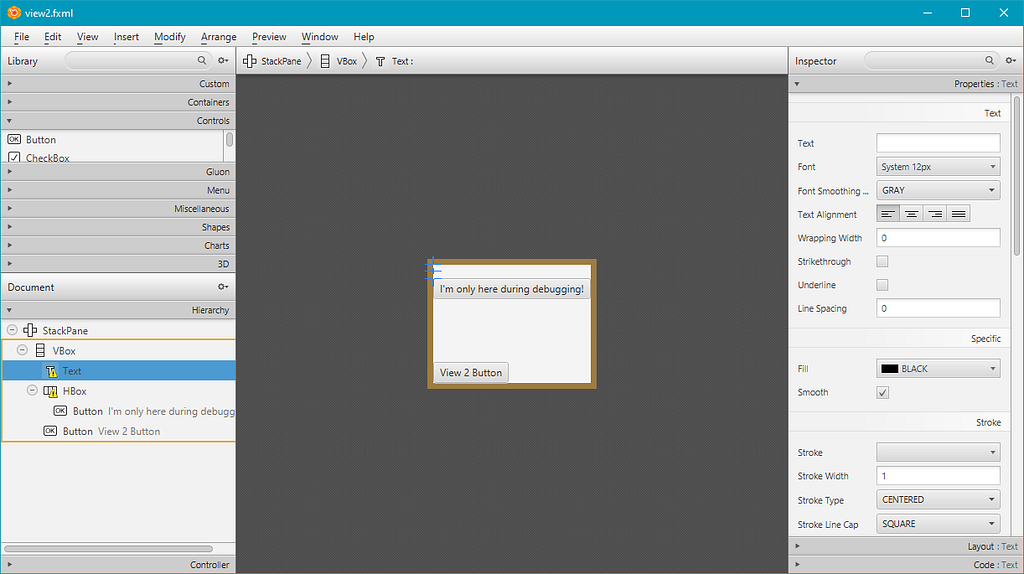
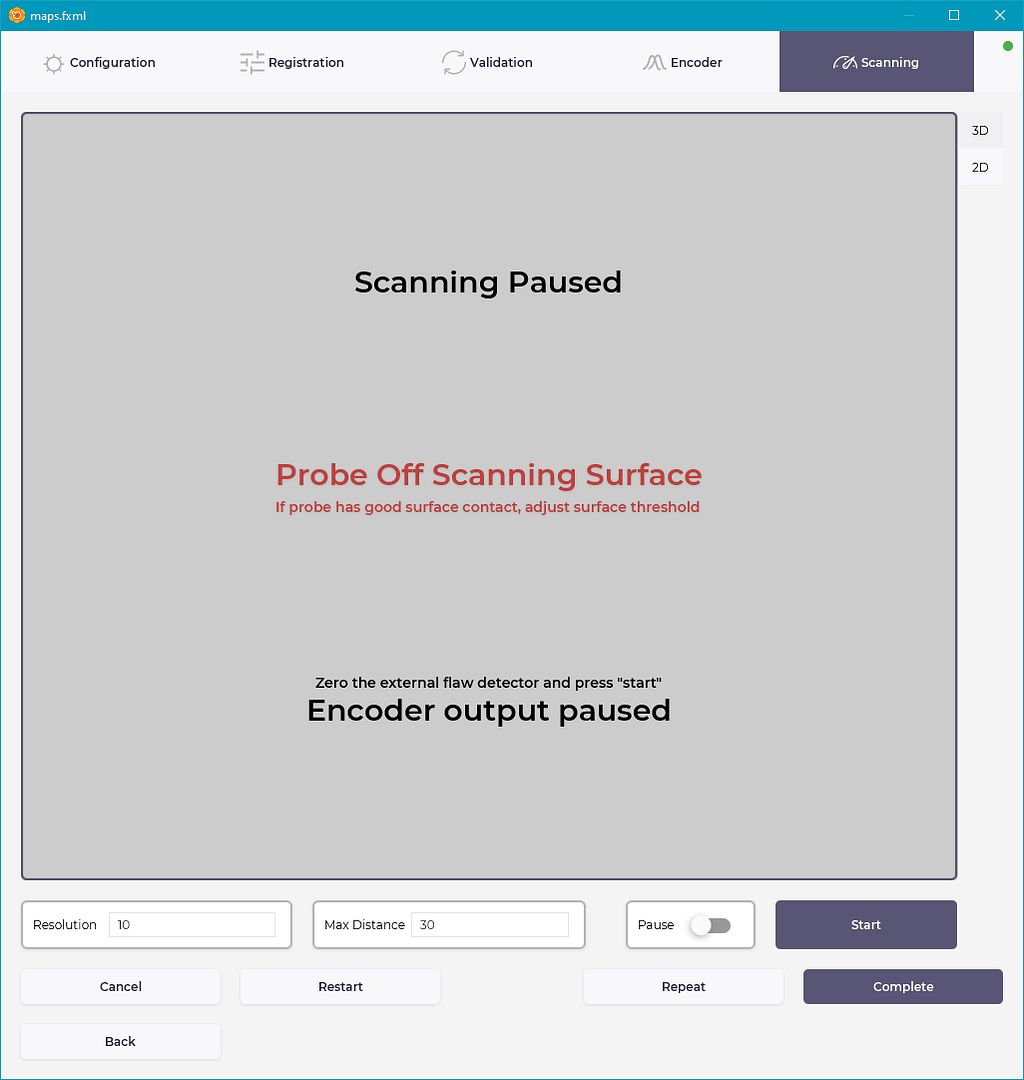
The MAPS Inspector video shows the hiding concept in action. The SceneBuilder Preview with all components visible looks like the screenshot below, and at runtime various parts and overlays get removed based on the application state.
Persistence
There is often some state that needs to be persisted between application runs, e.g., it would be frustrating for users if they had to set their preferred units after every start.
The easiest way I found for doing this is to use java.util.prefs.Preferences. From the docs:
This class allows applications to store and retrieve user and system preference and configuration data. This data is stored persistently in an implementation-dependent backing store. Typical implementations include flat files, OS-specific registries, directory servers and SQL databases. The user of this class needn’t be concerned with details of the backing store.
To better integrate this into JavaFX I wrote a PersistentProperties utility class that loads properties in the beginning and stores them when the application stops (more specifically, when @PreDestroy is called by Afterburner’s Injector::forgetAll).
By changing a few lines the properties are now saved between runs
/**
 * Properties with added persistence between runs. Generated accessors are omitted.
 */
public class UiConfig extends PersistentProperties {

    private final BooleanProperty debugEnabled = getBoolean("ENABLE_DEBUG", true);
    private final StringProperty unitLabel = getString("SELECTED_UNITS", "mm");

}
Closing Thoughts
I’m sure I forgot plenty of things, so I may add more later on. I hope this was useful. Good luck!
Originally published on Medium on 28 May 2022.